Pick Receipt for a Batch Managed Items
In this example we will show how to perform Pick Receipt for Items Managed by Batches.
Prerequisites
Item Master Data
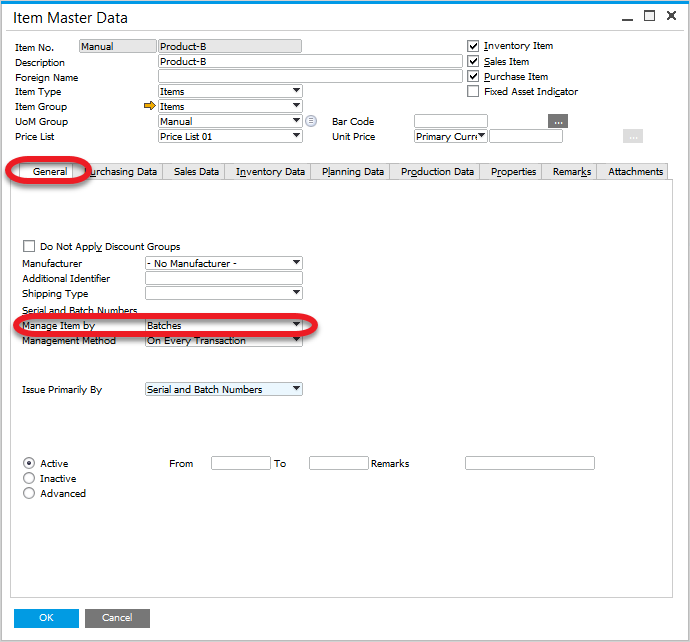
The item is managed by Batches.
Check how to set it up
Path: Inventory > Item Master Data
Item Details
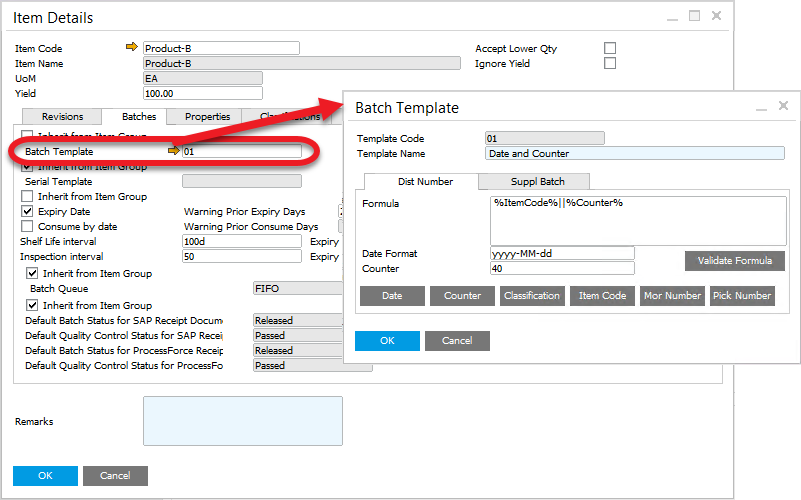
For this example we will set up a Batch Template that contains date and counter.
Check how to set it up
Path: Inventory > Item Details
Scenario no. 1
-
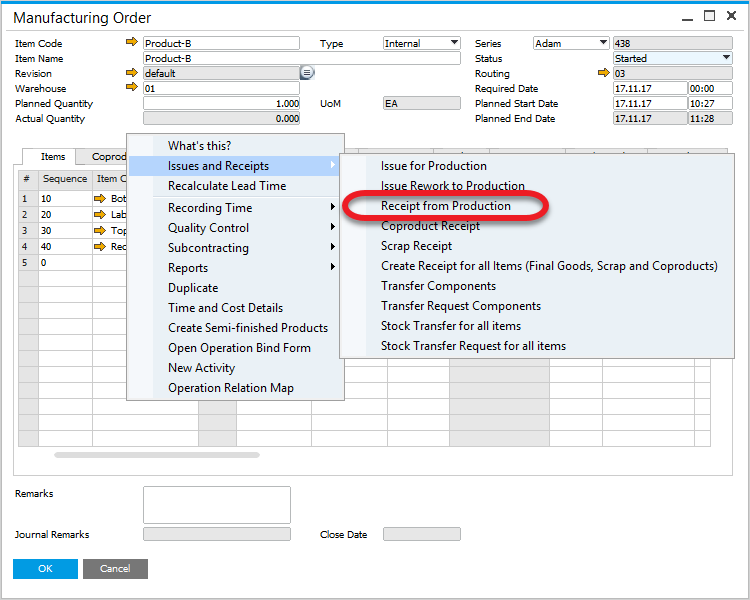
Create a Pick Receipt by using context menu option on a Manufacturing Order:
-
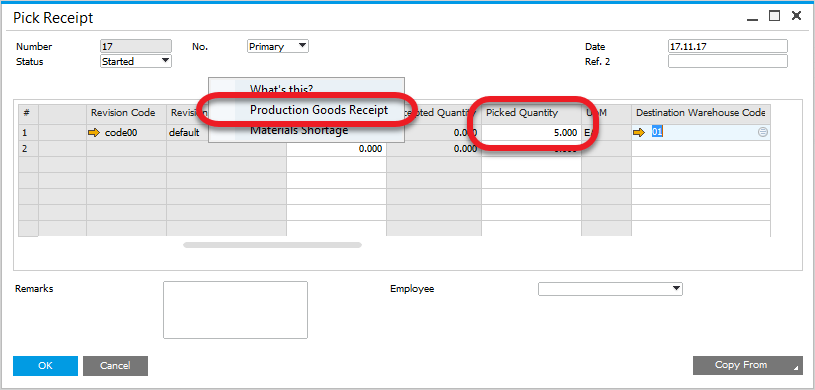
Set Picked Quantity, click update and choose Production Goods Receipt from a context menu. Batch number is generated automatically and it is possible to check it in Batch Number Transaction Report (check the following steps):
-
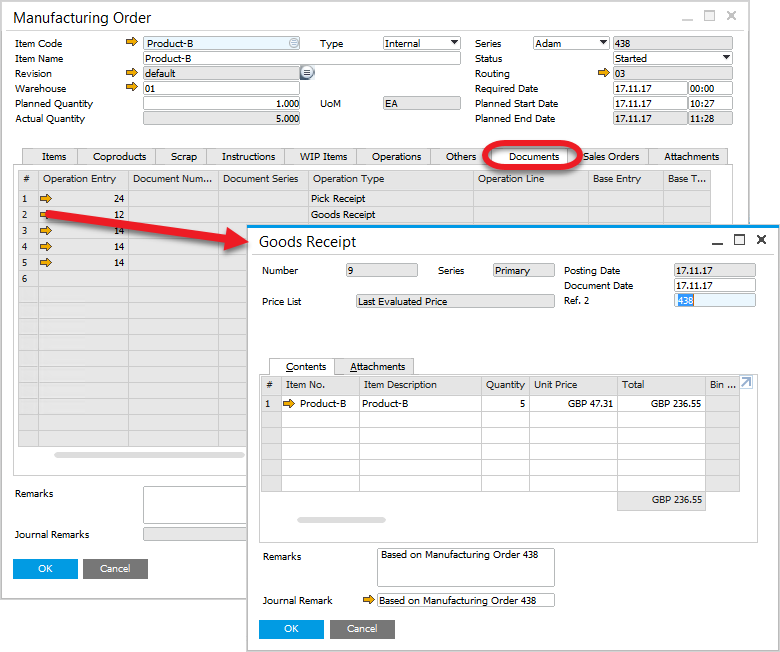
Open the created Goods Receipt from Manufacturing Order, Documents tab:
-
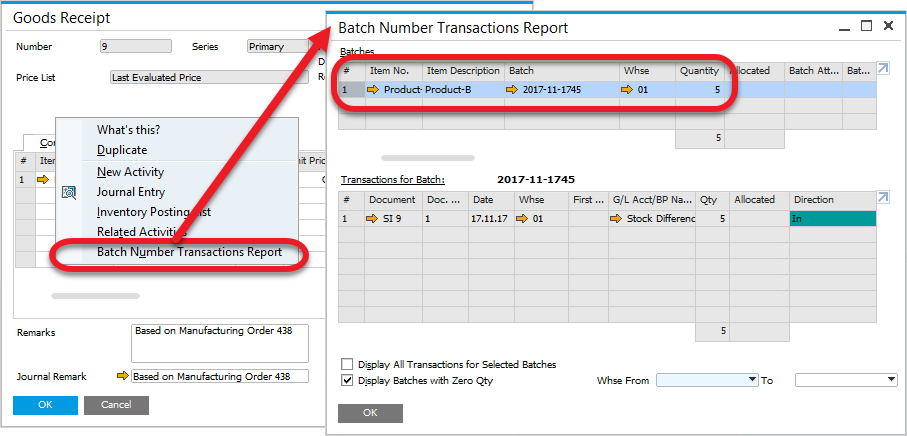
On Batch Number Transaction Report (opened from Goods Receipt context menu) you can see that a batch number has been generated (based on the Batch Template) for the picked quantity (5 in this example):
Scenario no. 2
-
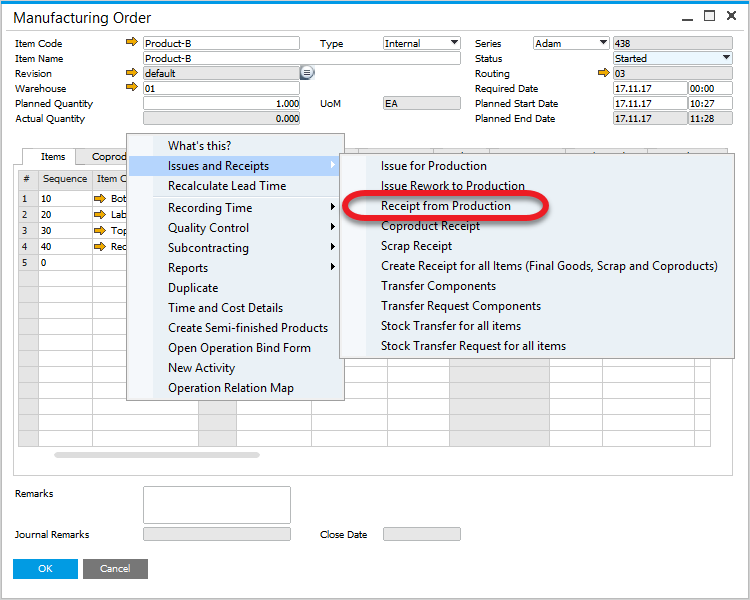
Create a Pick Receipt by using context menu option on a Manufacturing Order:
-
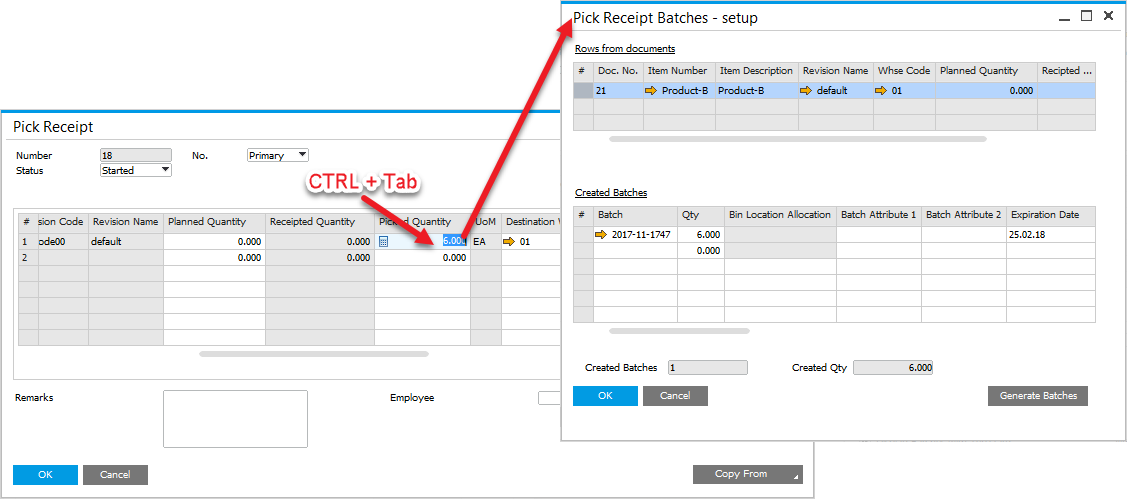
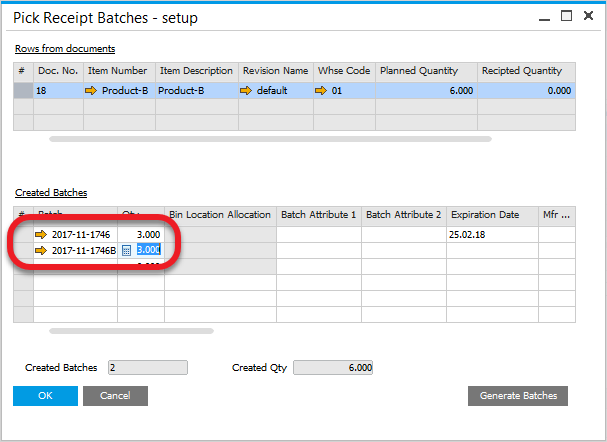
Quantity is set up to 6. Pressing Ctrl+Tab in Picked Quantity field leads to Pick Receipt Batches - setup form (you can also reach the option by choosing Batch/Serial Numbers from a row's context menu – right-click on a first column):
-
Here we can check generated Batch number or divide receipt goods into different batches:
-
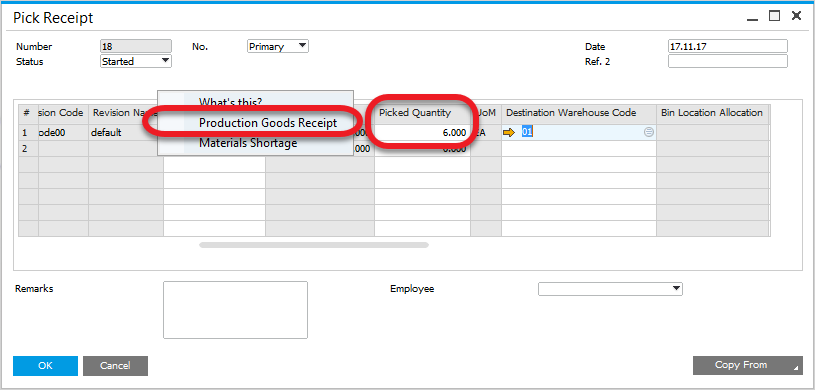
Create Production Goods Receipt by using Pick Receipt context menu option:
-
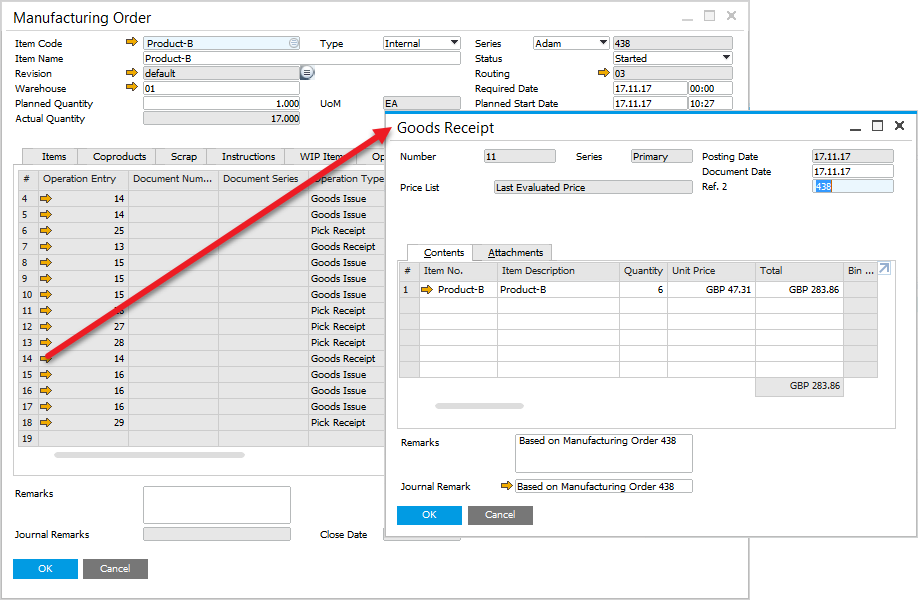
Open created Goods Receipt from Manufacturing Order, Documents tab:
-
Choose Batch Number Transactions Report from Goods Receipt context menu:
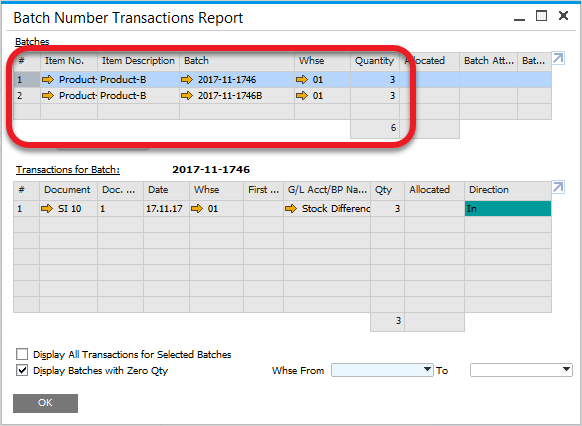
As we can see, the Batches created on Pick Receipt Batches - setup were created for Production Goods Receipt.