Item Classifications
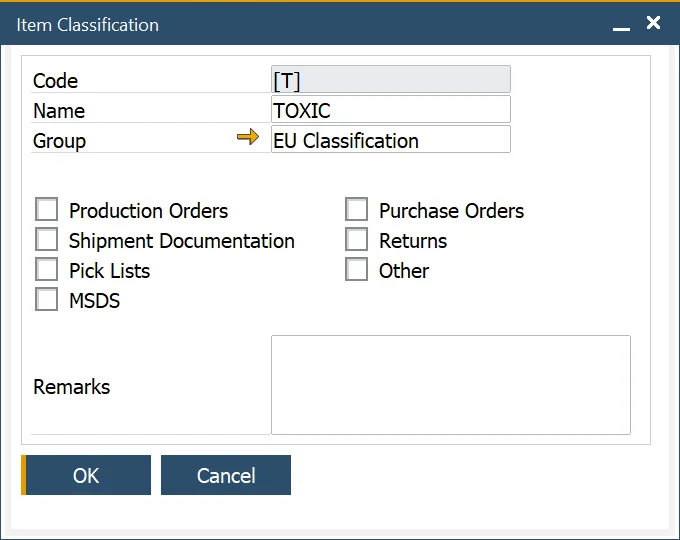
The Item Classification function allows the user to define specific classifications with its name and code, for example, corrosive, toxic, and non-toxic. Classifications can be grouped.
Item Classifications
Administration → Setup → Item Details → Item Classification
In this form, you can define a specific classification. You can also choose on what kind of documents a specific classification can be used (by checking a corresponding checkbox).
Item Classification Groups
Administration → Setup → Item Details → Item Classification Groups
The Item Classification Group function allows the user to create groups of item classifications, for example, EU Classifications.

Item Classification assigning
Once created, classification can be assigned to an item in the Item Details form, Classifications tab. By clicking a second column and then a circle displayed within a field, a classification may be chosen:
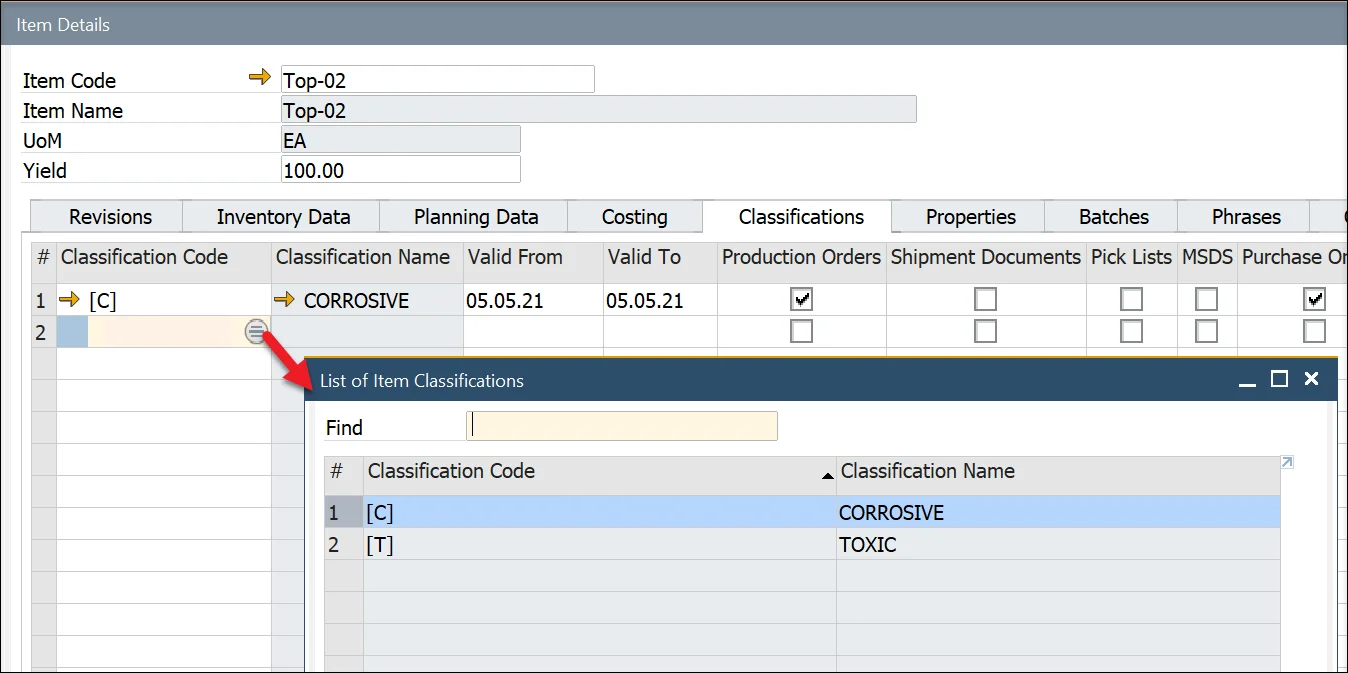
A chosen classification can be assigned to a specific document type by checking a checkbox in a related column.