Manufacturing Orders Relations
This option allows you to create advanced Manufacturing Orders relations and relate a Child Manufacturing Order with multiple Parent Manufacturing Orders.
Purpose
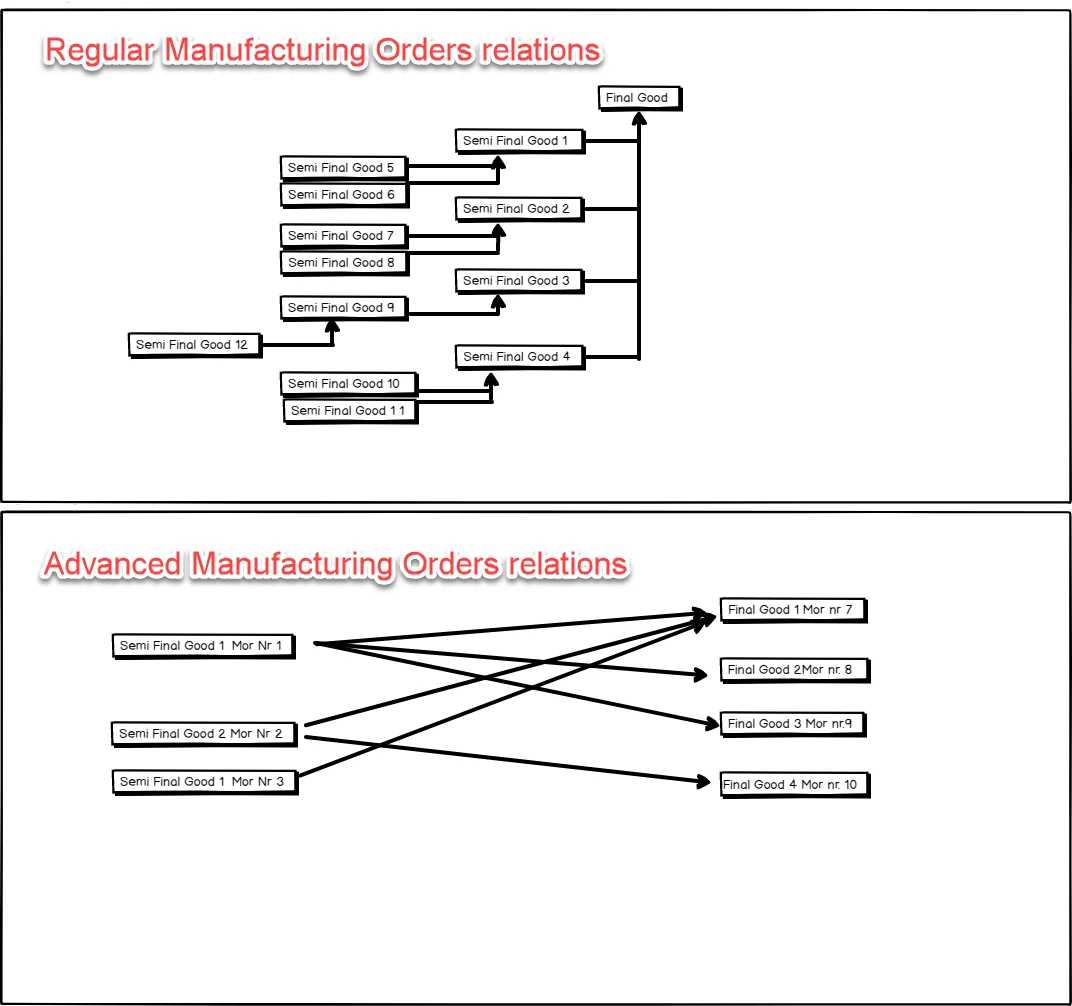
Activating the option
Production → Manufacturing Order → Manufacturing Order → Others tab
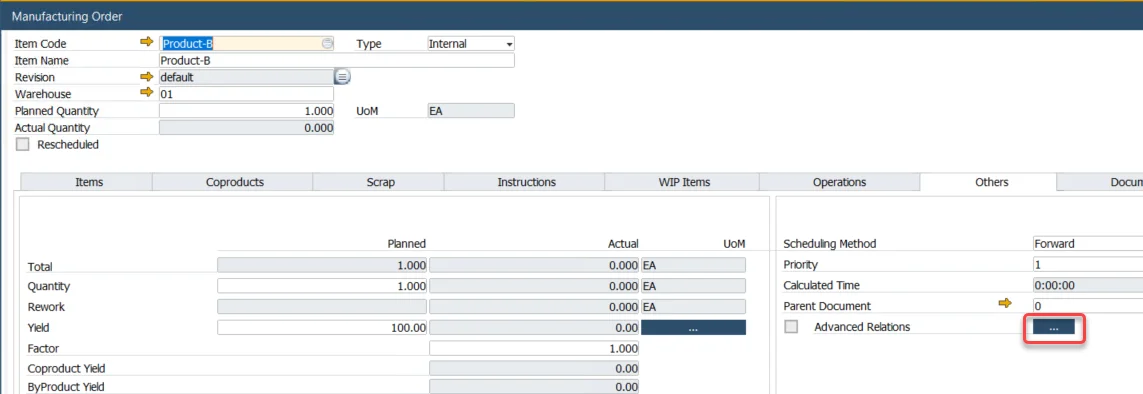
Click the highlighted button to open the Manufacturing Orders Relations form.
Manufacturing Orders Relations form
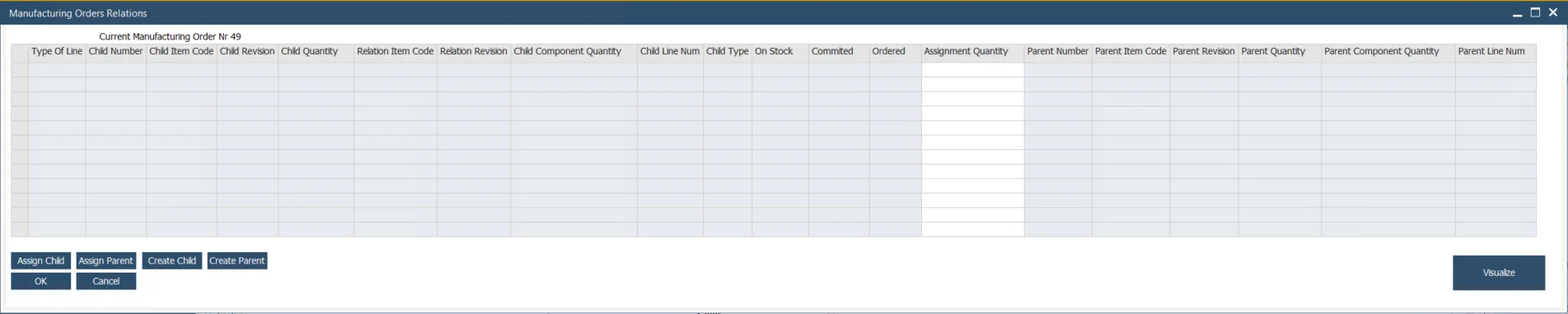
Creating relation
Assigning already existing Manufacturing Orders
Assigning child Manufacturing Orders
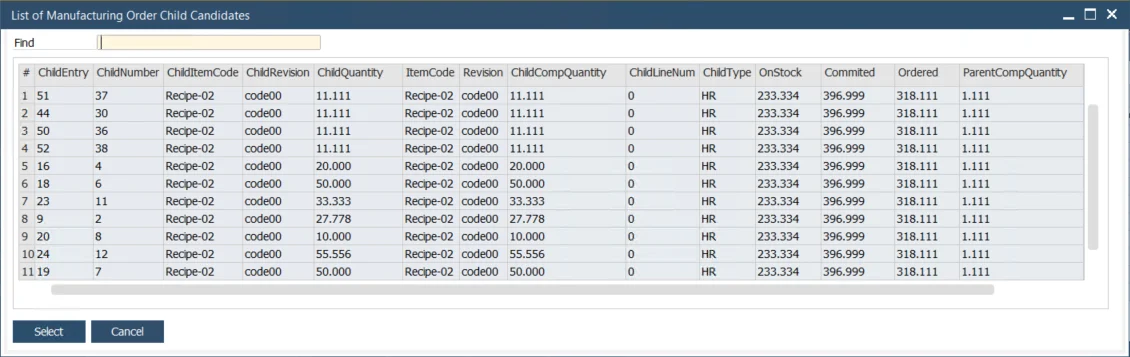
Clicking the Assign Child button leads to the list of all Manufacturing Orders in Scheduled, Released, and Started status for an Item and Revision of a component of the Manufacturing Order. Choose one or more and click Select. This will add lines to the main form.
Assigning parent Manufacturing Orders
Clicking the Assign Parent button leads to the list of all Manufacturing Orders in Scheduled, Released, and Started status with a component of the chosen Manufacturing Order.
Creating new Manufacturing Orders
Creating new Child Manufacturing Order
Clicking the Created Child button leads to a list of all Bill of Materials that match the Raw material of the chosen Manufacturing Order.
Creating new Parent Manufacturing Orders
Clicking the Create Parent button leads to a list of all Bill of Materials that have a component of the chosen Manufacturing Order.
Visualize
This option allows for checking a scheme of connections between Manufacturing Orders.