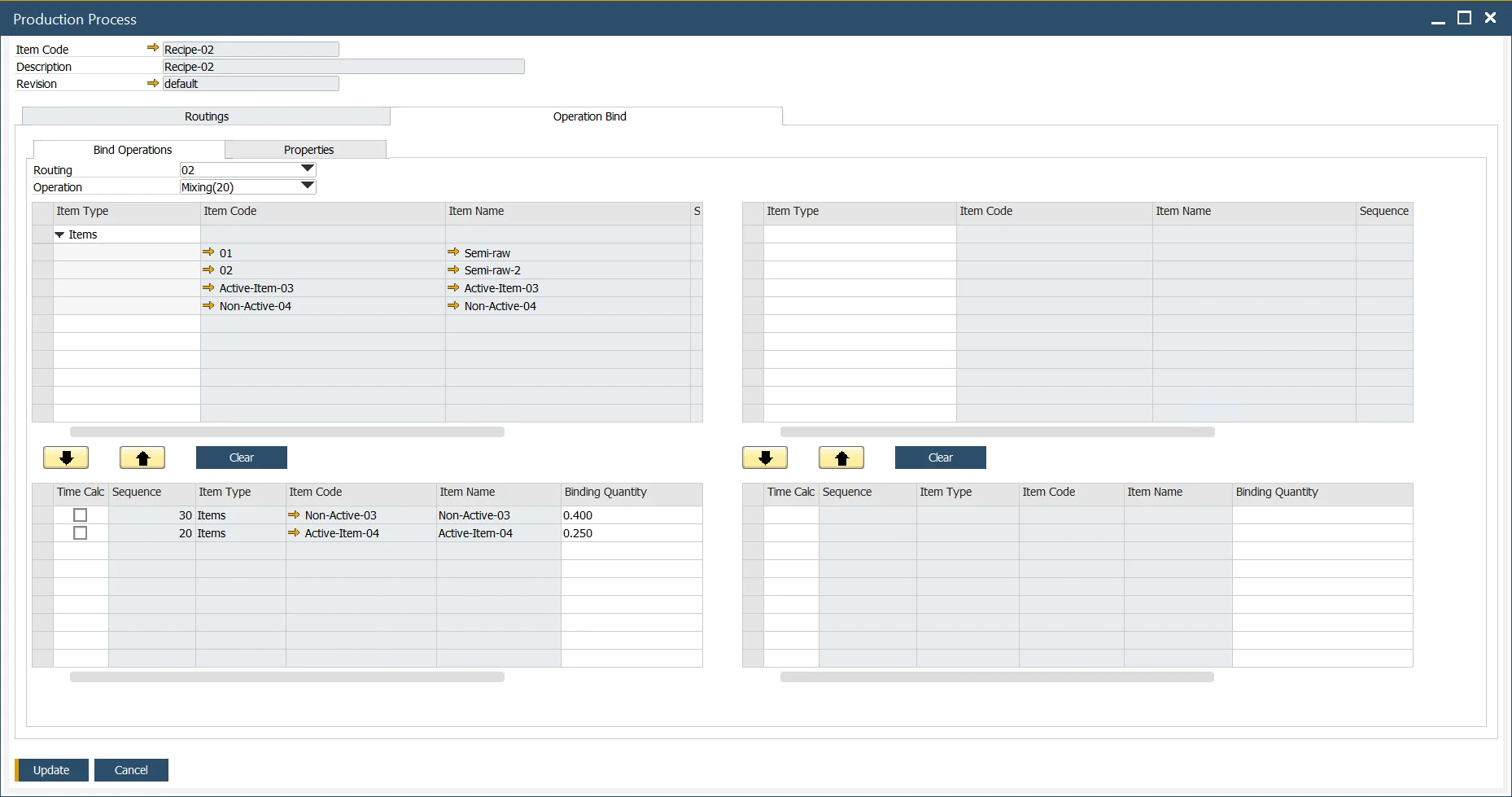
Master Data
In this section, you can check how to set Master Data for a Pick Issue and Receipt by Operation.
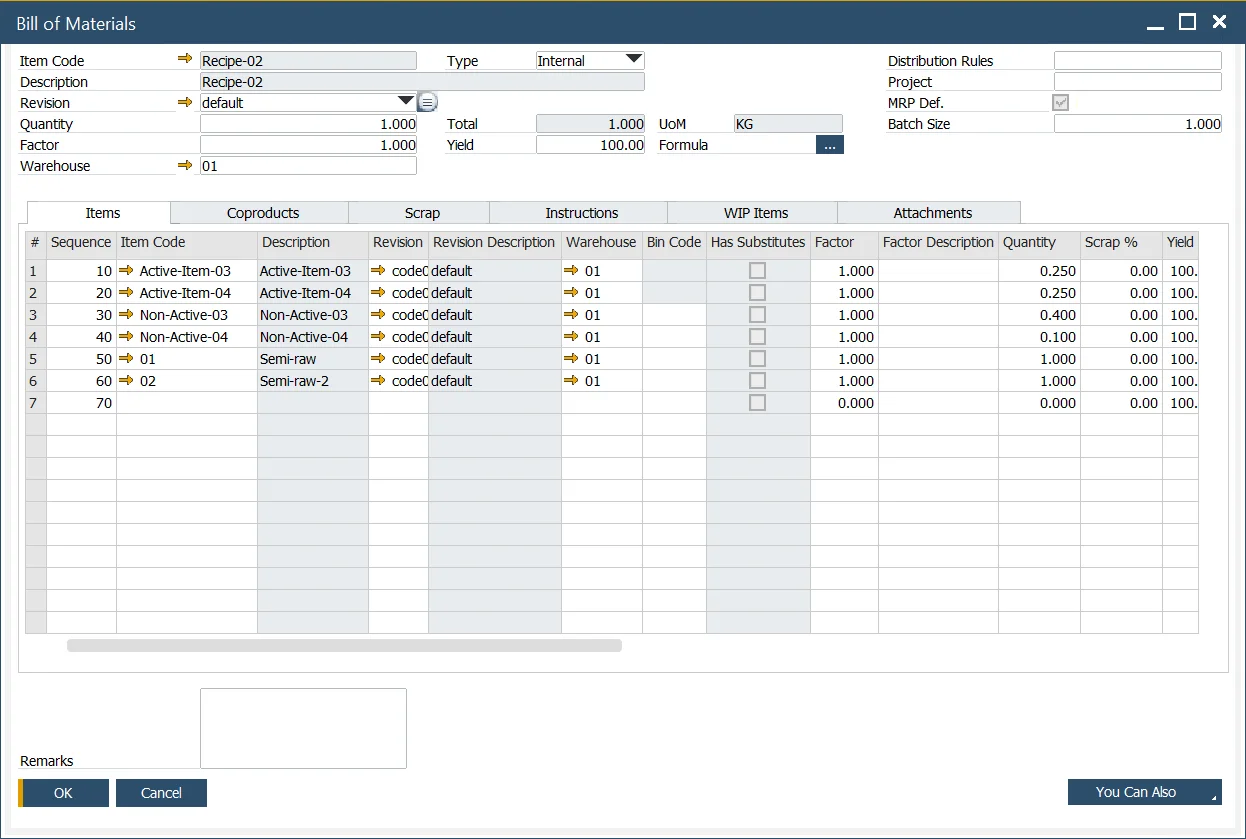
Bill of Materials
- Define the Items, Coproducts, and Scrap within the bill of materials form as normal,
- Note the Item Number and Description are "Grey." This indicates the items have been linked to an Operation.
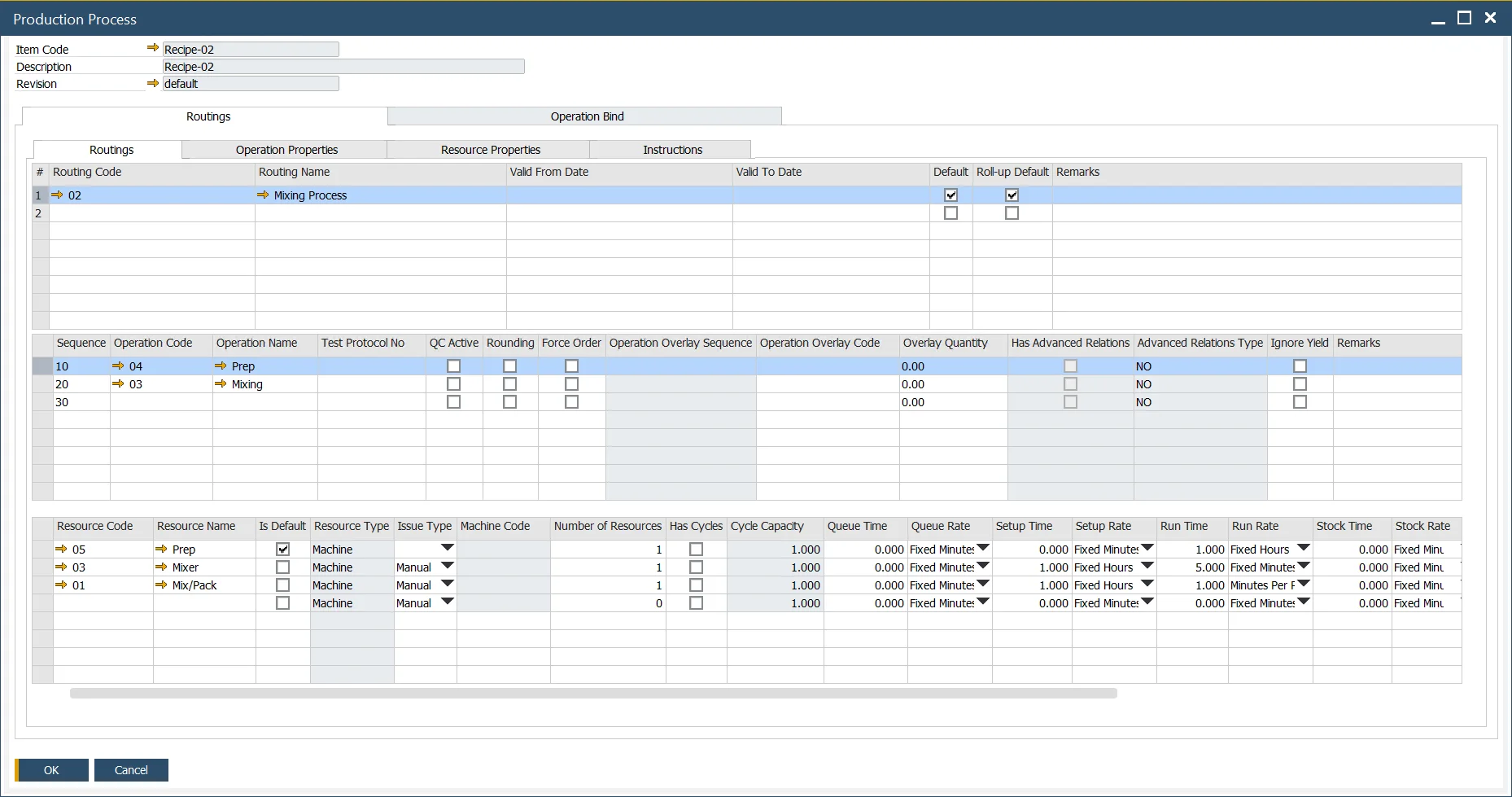
Production Process
Define the Production Process as usual. You can reach this form by Main Menu (Production → Bill of Materials → Production Process) or by the context menu from the Bill of Materials form.
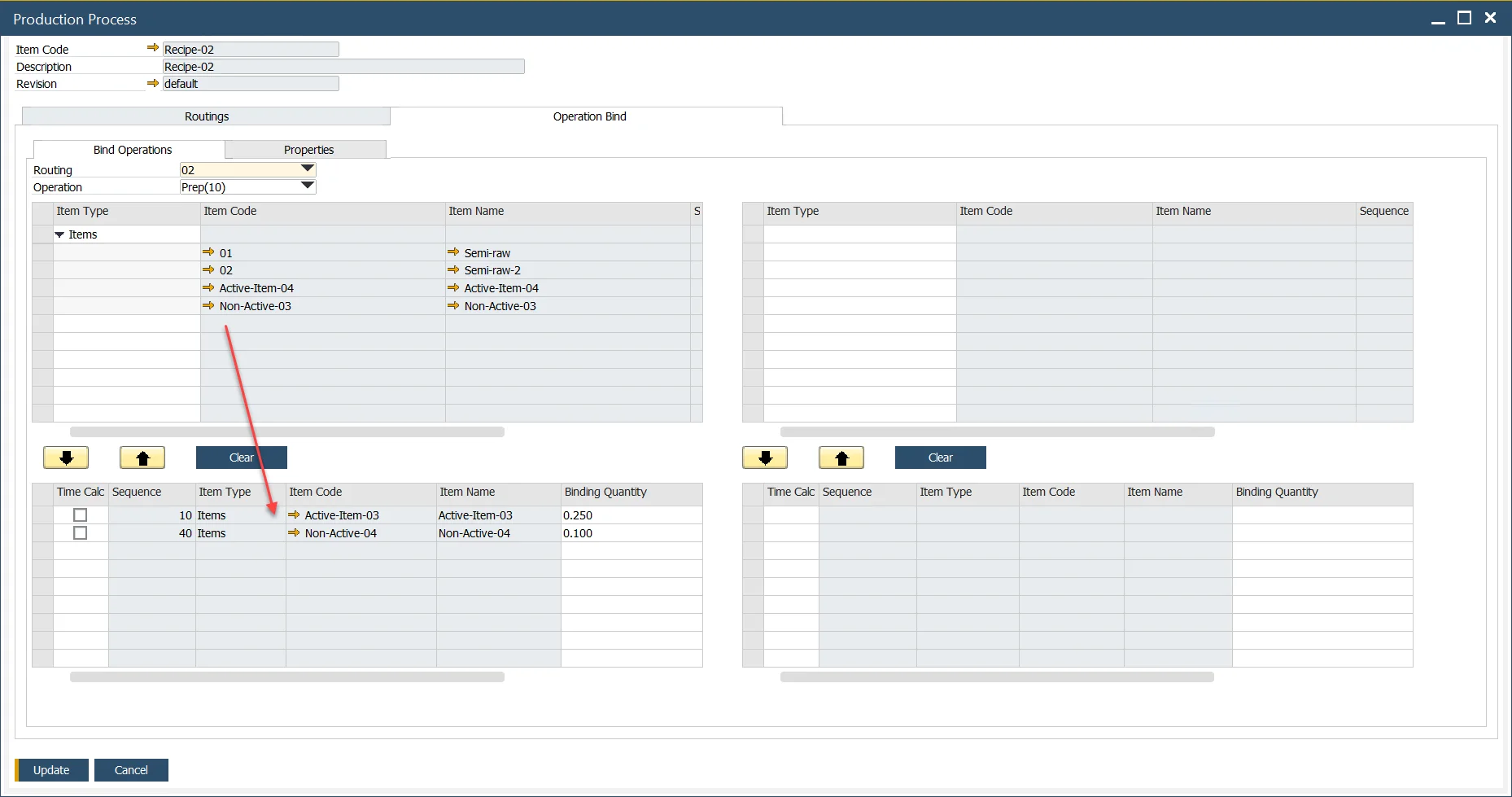
Operation Binding
- Left side of the form represents Inputs, and the Right side of the form Outputs,
- Select the Routing and the Operation,
- Select the Items and link to the Operation,
- In this example, Active-Item-03 and Non-Active-04 are linked as an Input to the Prep operation.
In this example, CoProduct Item Co-Product-01 and Scrap Item Scrap-01 are linked as an Output from the Mixing operation.