How to set up App Engine for Preventive Maintenance Schedule
SLD Servers Configuration
-
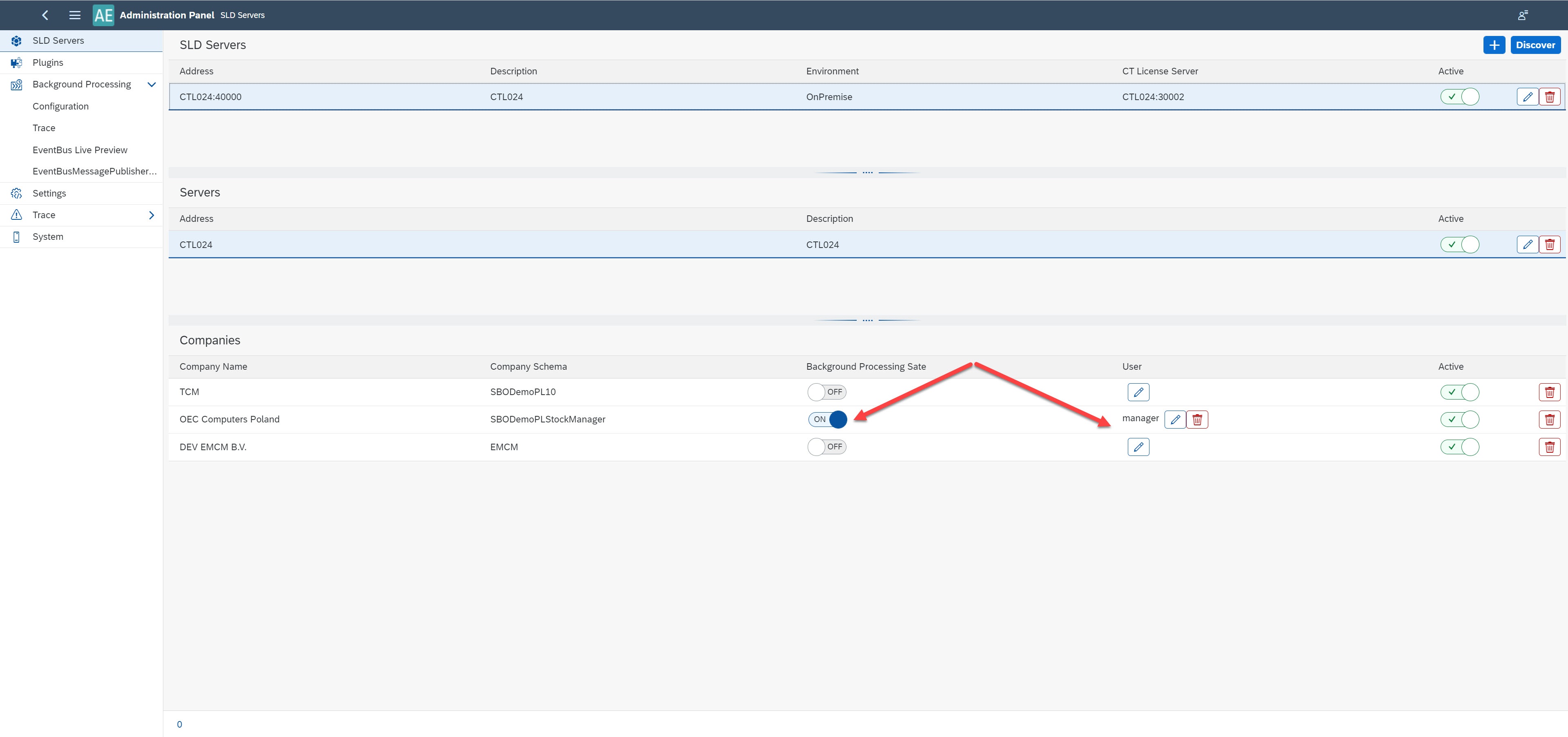
Switch the 'Background Processing Date' on SLD Servers for your company to ON.
-
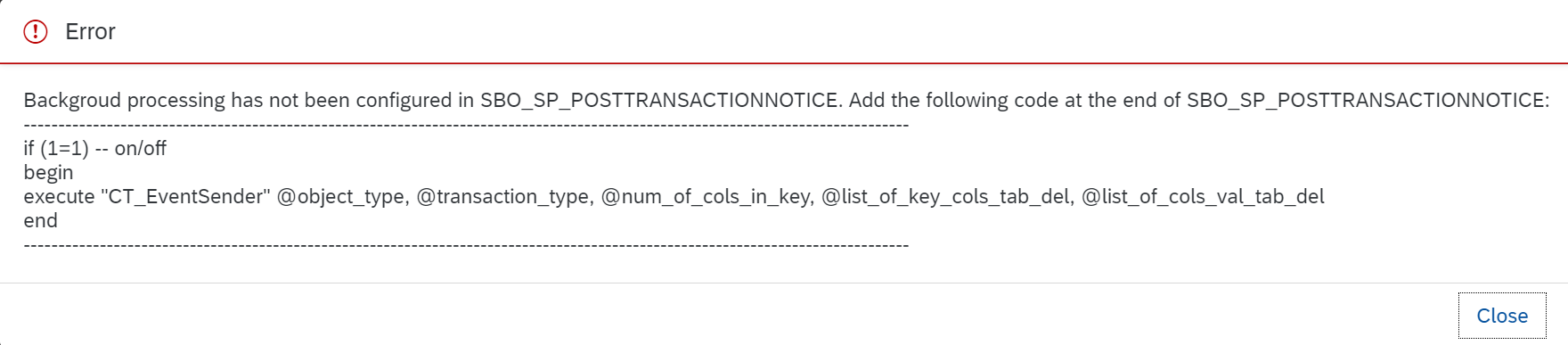
When you do it for the first time, you can get an error saying that you must have the following statement in the Post-transaction procedure. After adding the code, you can turn the "Background Processing Date" to ON.
Plugins Configuration
-
Install ProcessForce and the MI360 plugin.

-
Activate ProcessForce and MI360 for your company.

Background Processing configuration
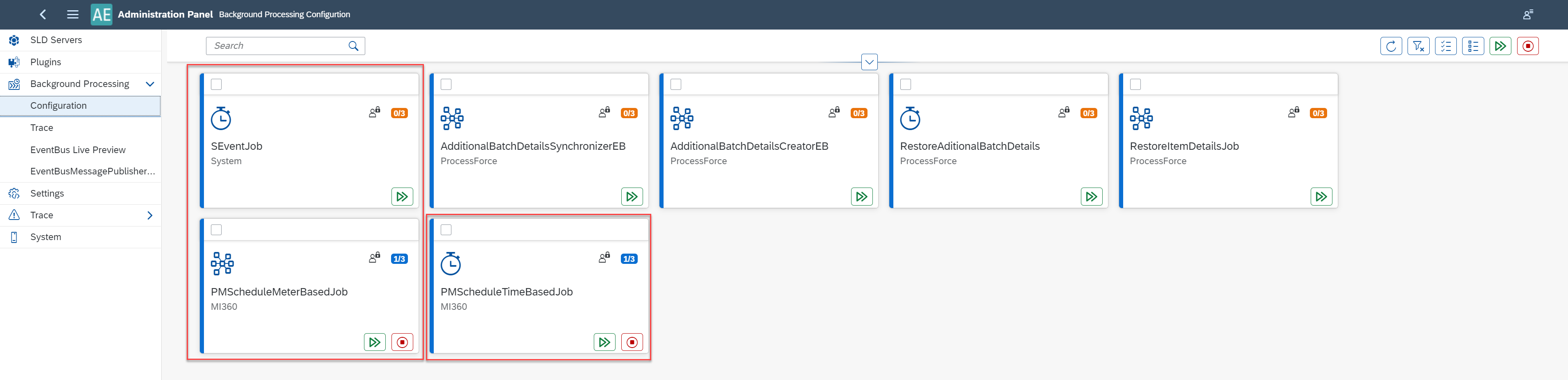
Preventive Maintenance Schedule based on Time set up:
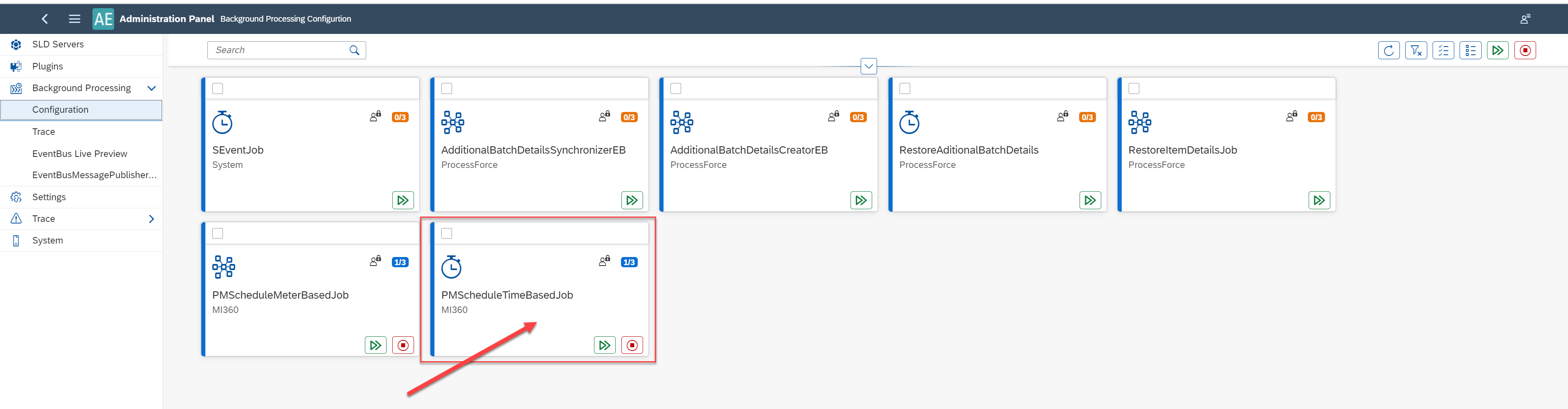
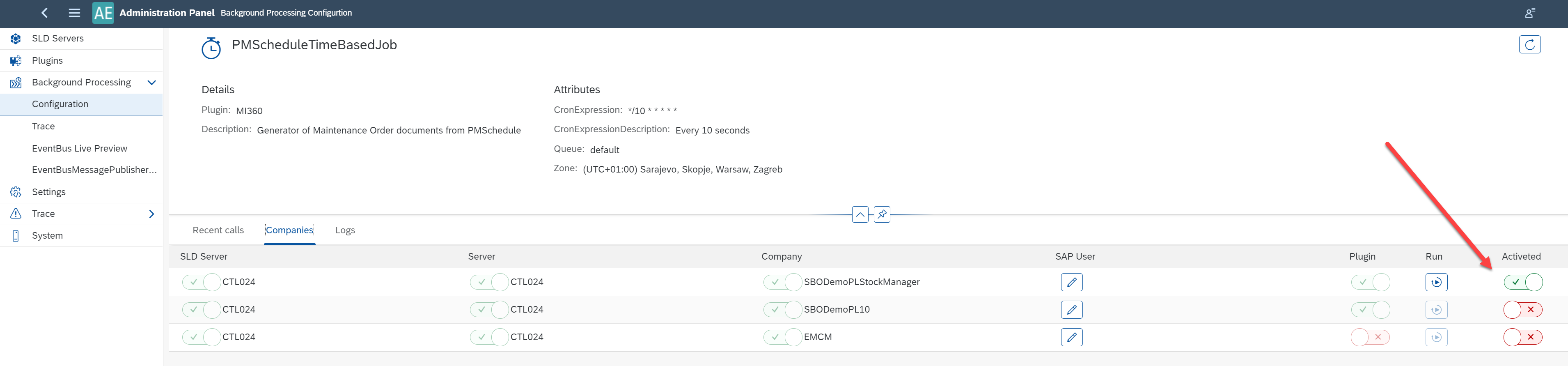
- Go to the PMScheduleTimeBasedJob background processing and activate it for your company.
Preventive Maintenance Schedule based on Meter values set up.
-
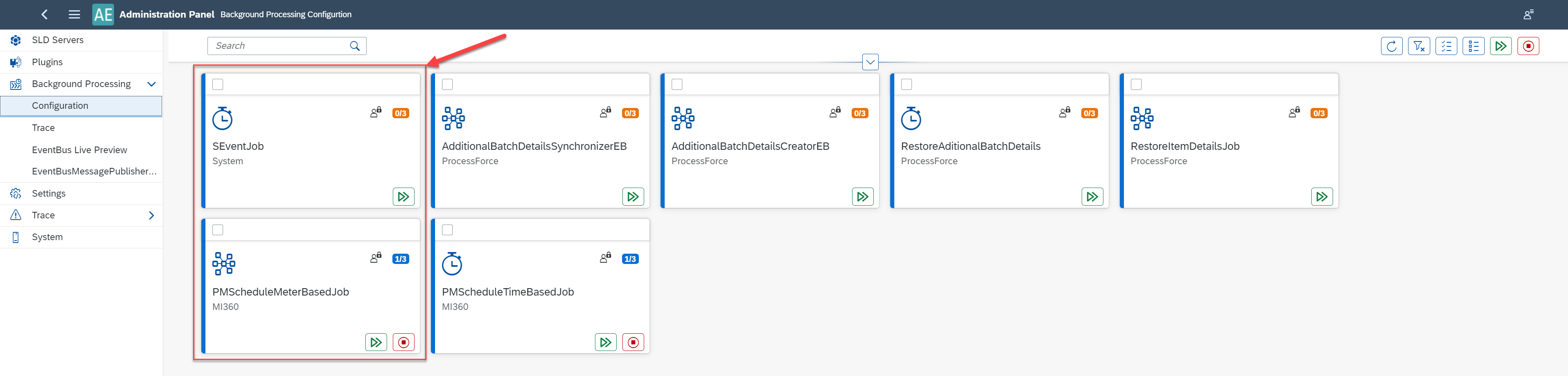
Go in to the PMScheduleMeterBasedJob, PMScheduleTimeBasedJob, and SEventJob background processing and activate it for your company.
Preventive Maintenance Schedule based on Time and Meter values set up:
- Go in to the PMScheduleMeterBasedJob, PMScheduleTimeBasedJob, and SEventJob background processing and activate it for your company.