Authorizations
The creation of ProcessForce documents depends on specific user authorizations
Administration → System Initialization → Authorizations → General Authorizations
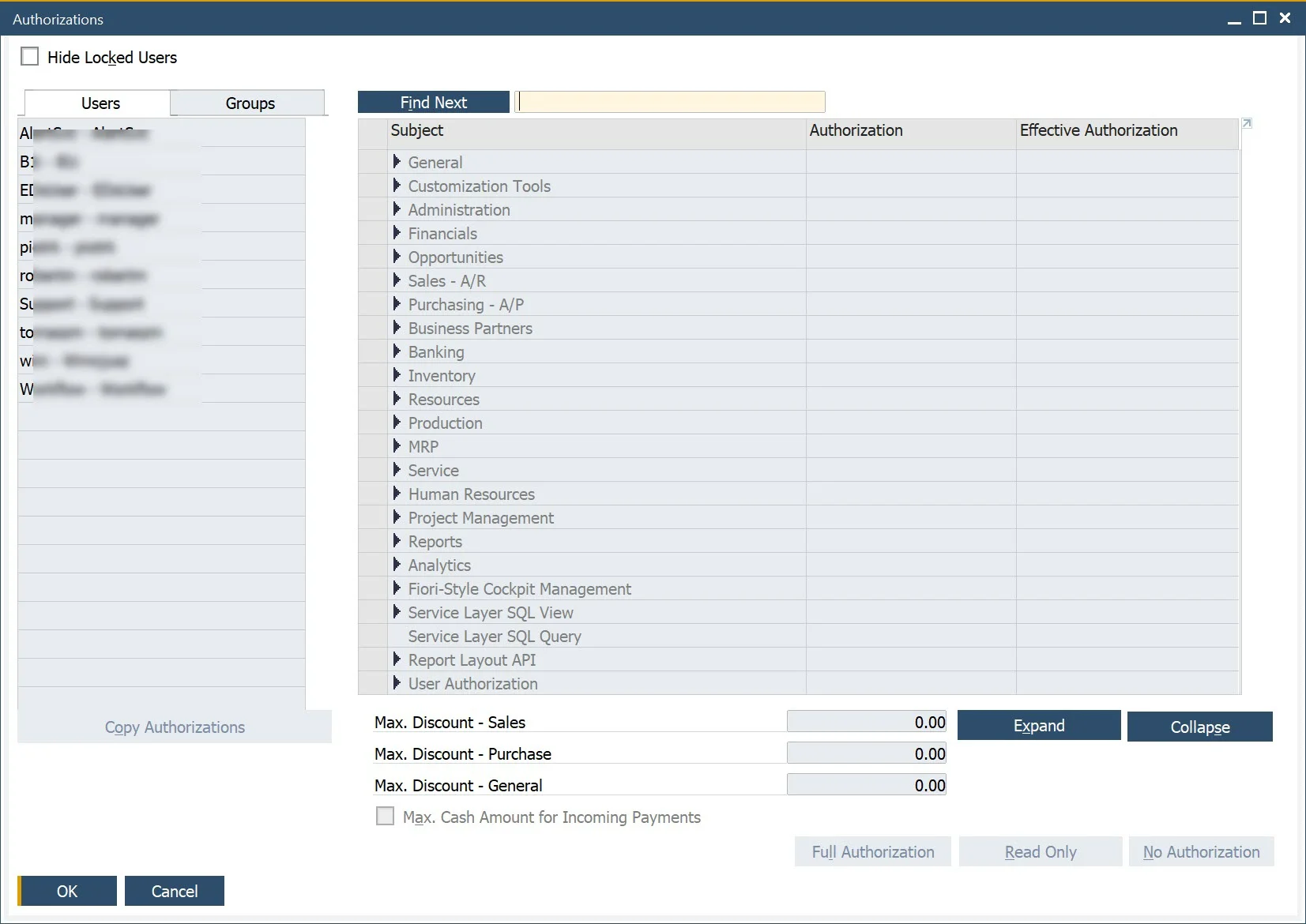
Click a specific username to see and change authorizations assigned to a specific user.
Authorizations connected to ProcessForce specifically can be found in the Authorizations form → Users → ProcessForce.
A specific authorization can have one of three values:
-
Full Authorization – user can create, change and post a specific document
-
Read Only – user can open a document but cannot change it
-
No Authorization – a lack of access to a specific document for a specific user
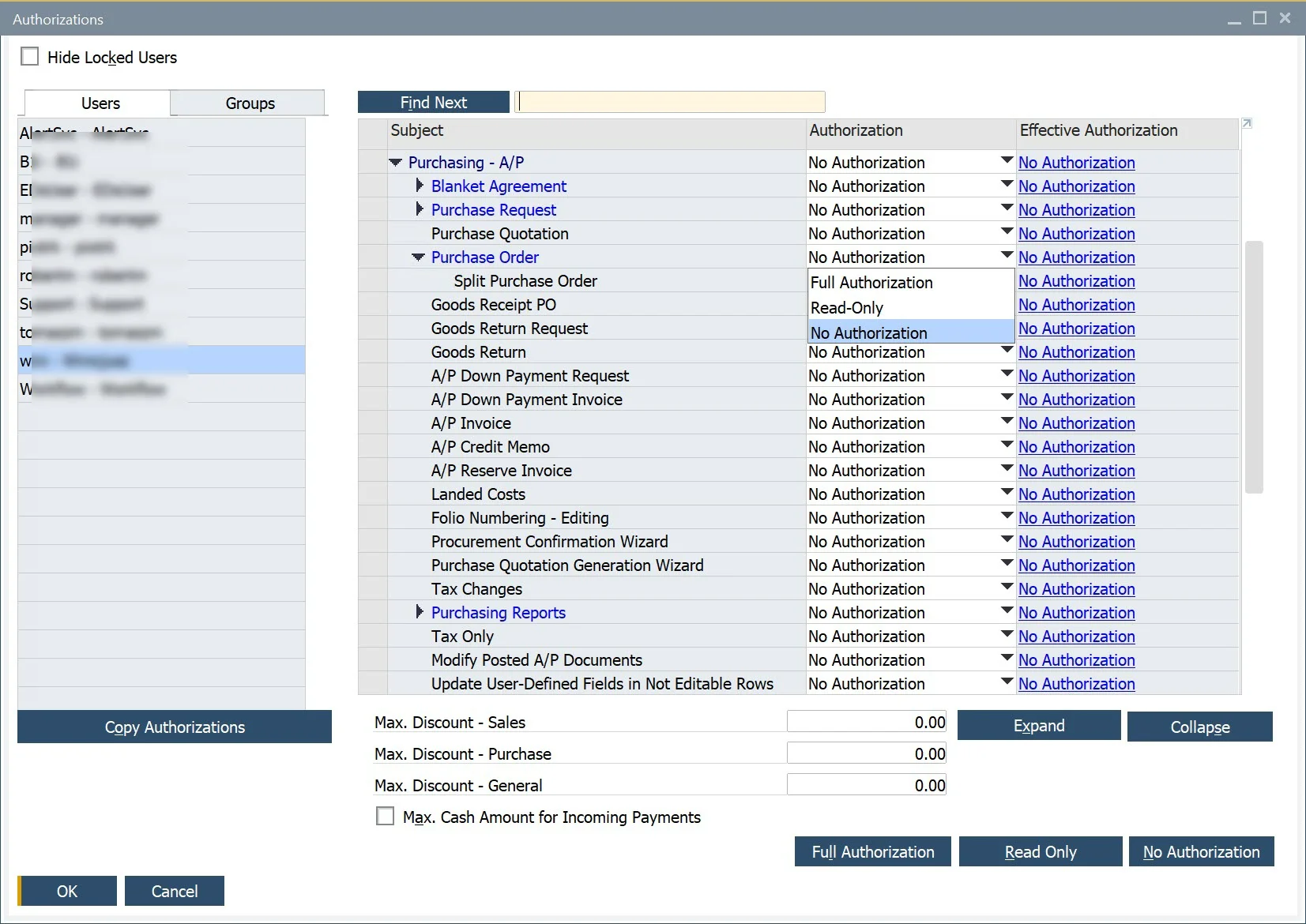
If the authorizations for a specific user are grayed out, the user has superuser privileges and owns all the authorizations.
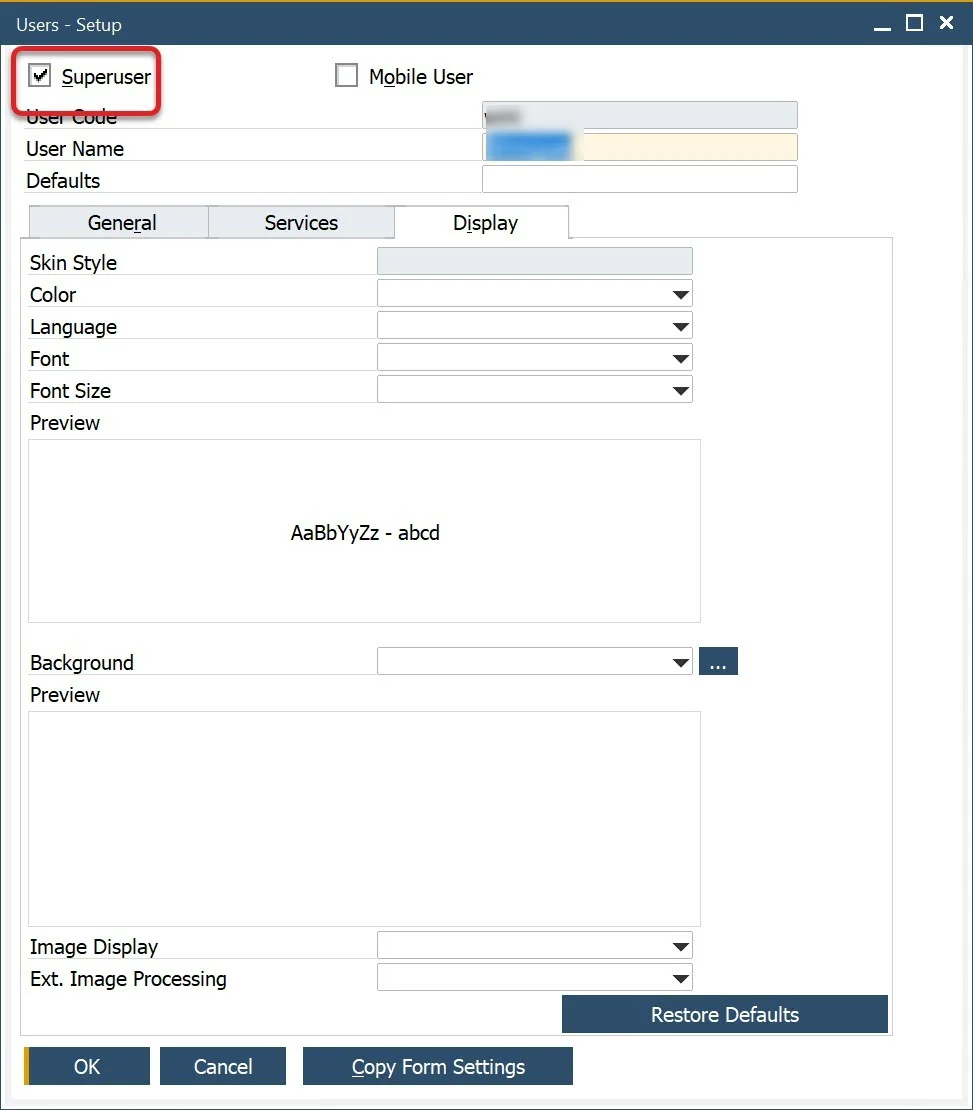
You can set up superuser privileges in the Users form:
Administration → Setup → General → Users
Only users with a Professional license assigned can change authorizations.
Specific authorizations are required to work with specific ProcessForce documents, e.g.: to create, change and post Production Goods Receipt and Production Goods Issue and corresponding Pick Orders and Pick Receipt, you have to set Full Authorization for the following authorizations:
-
Goods Receipt and Goods Issue: Authorizations form → Inventory → Inventory Transactions → Goods Receipt [and] Goods Issue
-
Journal Entry. This setting is required for Goods Receipt and Goods Issue to reflect on financials: Authorizations form → Financials → Journal Entry
-
Pick Receipt and Pick Order: User Authorization → ProcessForce → Production → Inventory Transaction → Pick Receipt [and] Pick Issue
-
Numbering Series. This is needed for documents series management: Authorizations form → Administration → Numbering Series.