Quality Control Tests Creation Wizard
This option allows the mass creation of Quality Control Tests documents. It can be helpful, e.g., for creating needed documents that any automatic option still needs to create.
Path
Quality Control Test → Quality Control Tests Creation Wizard
Step 1. Document Types and dates
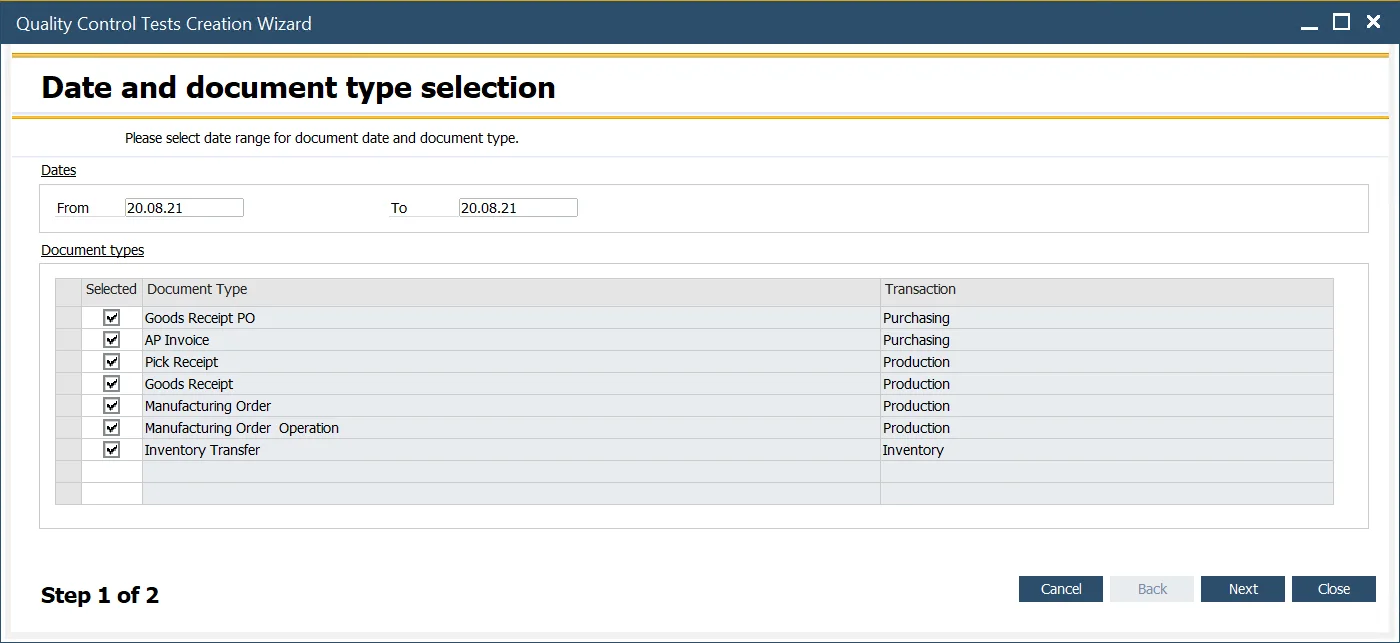
Choose the document type(s) for which Quality Control Tests documents will be created and the date range (of base documents).
Step 2. Choosing specific documents
In this step, you have a list of documents based on the filter conditions set in the previous step that does not have related Quality Control Tests created. Checking/unchecking checkboxes in the Selected column, choose the required documents. Click Run after that to create related Quality Control Documents.