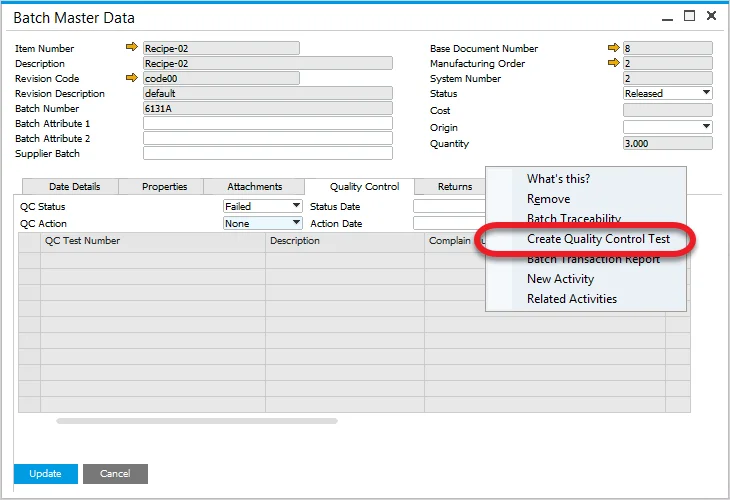
Quality Control tab
Within the Additional Details Form, a tab has been added called Quality Control, where all related Quality Control tests for the batch are displayed, including corresponding Compliant Number and Non-Conforming Materials Report documents.
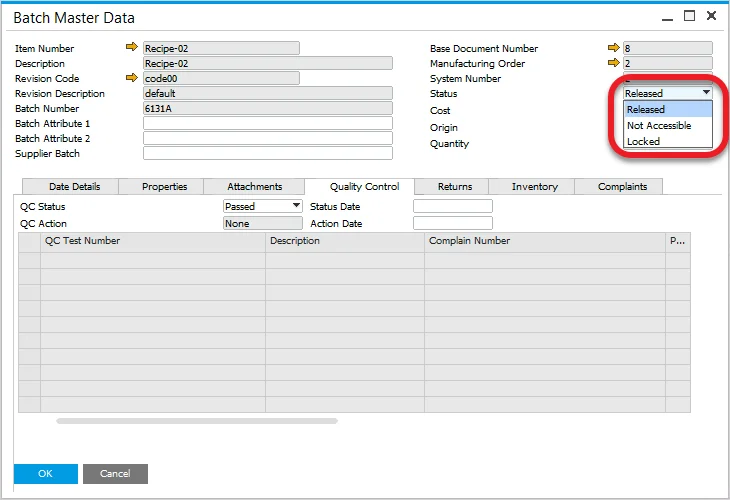
Status
The Status field in the header of the form is the SAP Business One Status field, and the default status, based on the configuration settings.
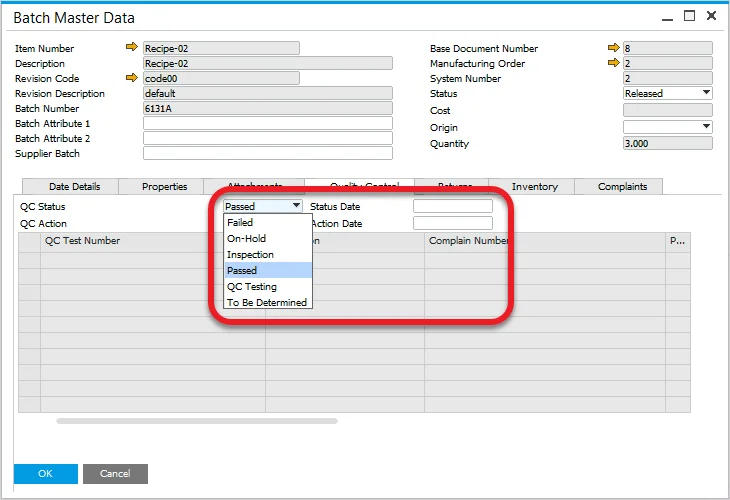
QC Status
The QC Status field in the Quality Control tab displays the quality status of the batch, and the default status, based on the configuration settings.
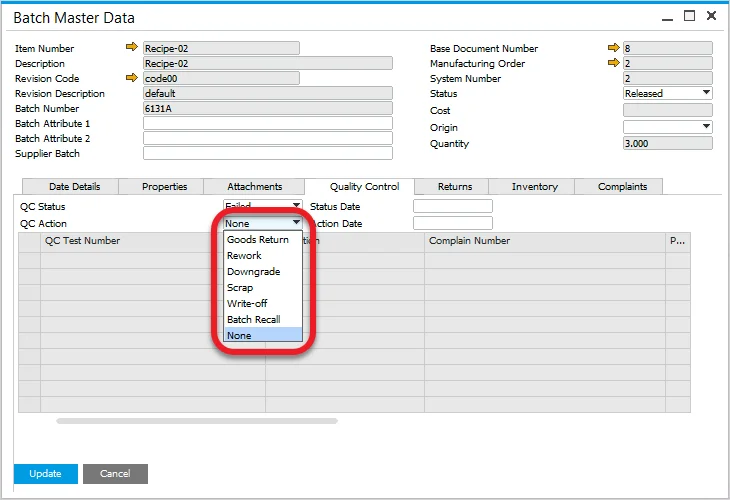
QC Action
The field can be used to record an action to manage the batch if the QC status is set to Failed.
Creating a Quality Control Test
A Quality Control Test can be created from the menu (if Test Protocol is assigned to the Item); additional information can be found here.