Manual and Backflush Issue type Configuration
Manual Issue Method
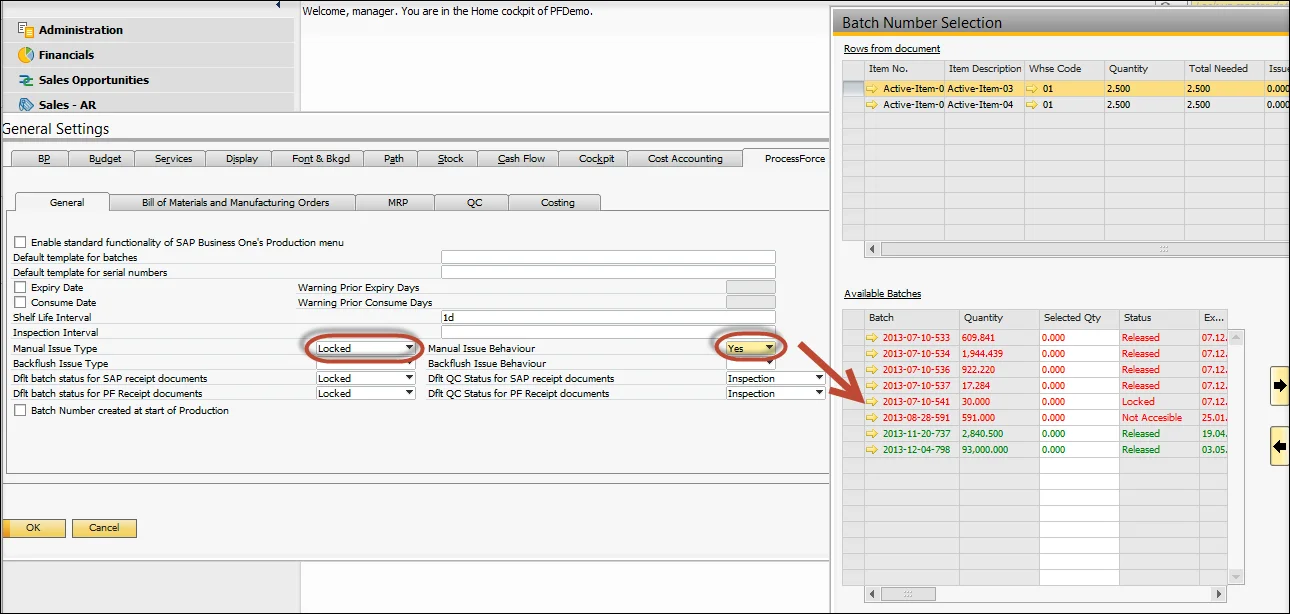
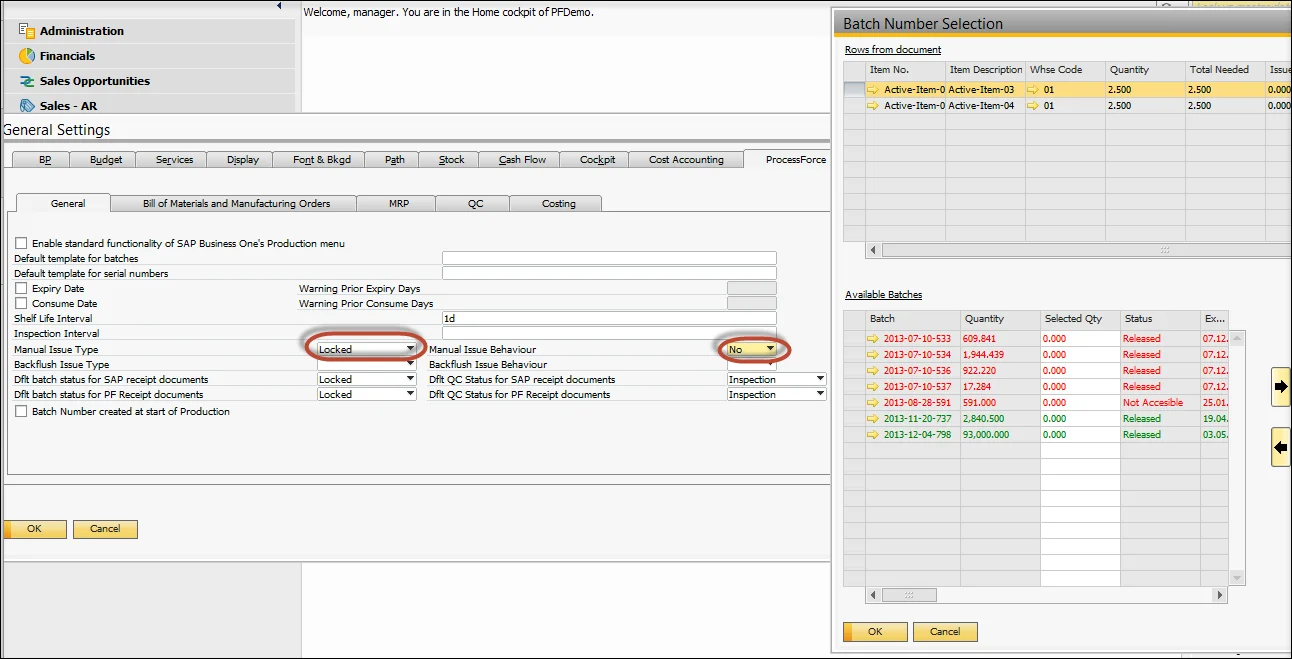
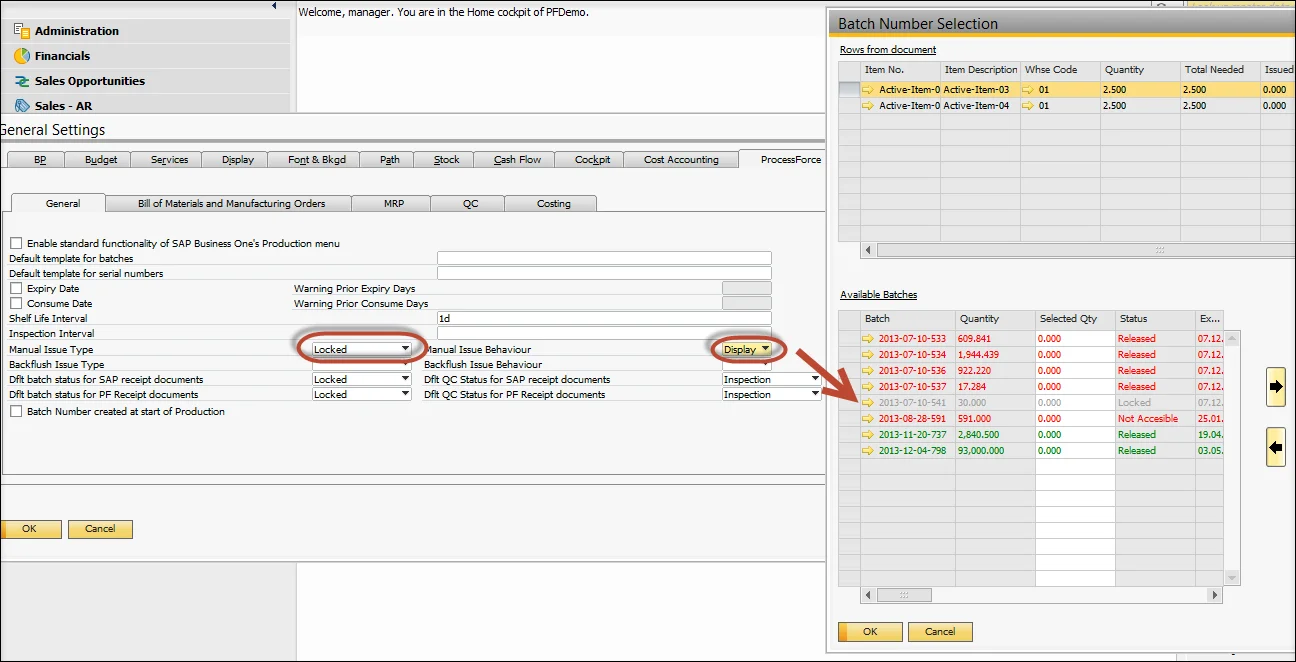
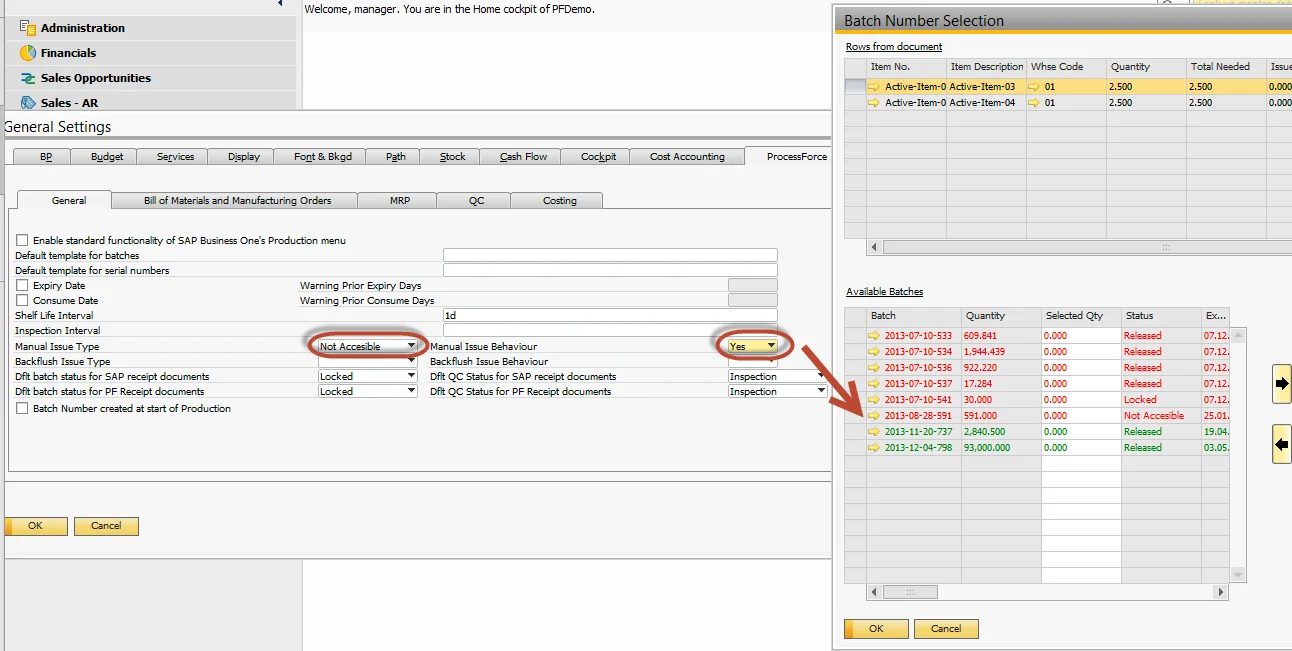
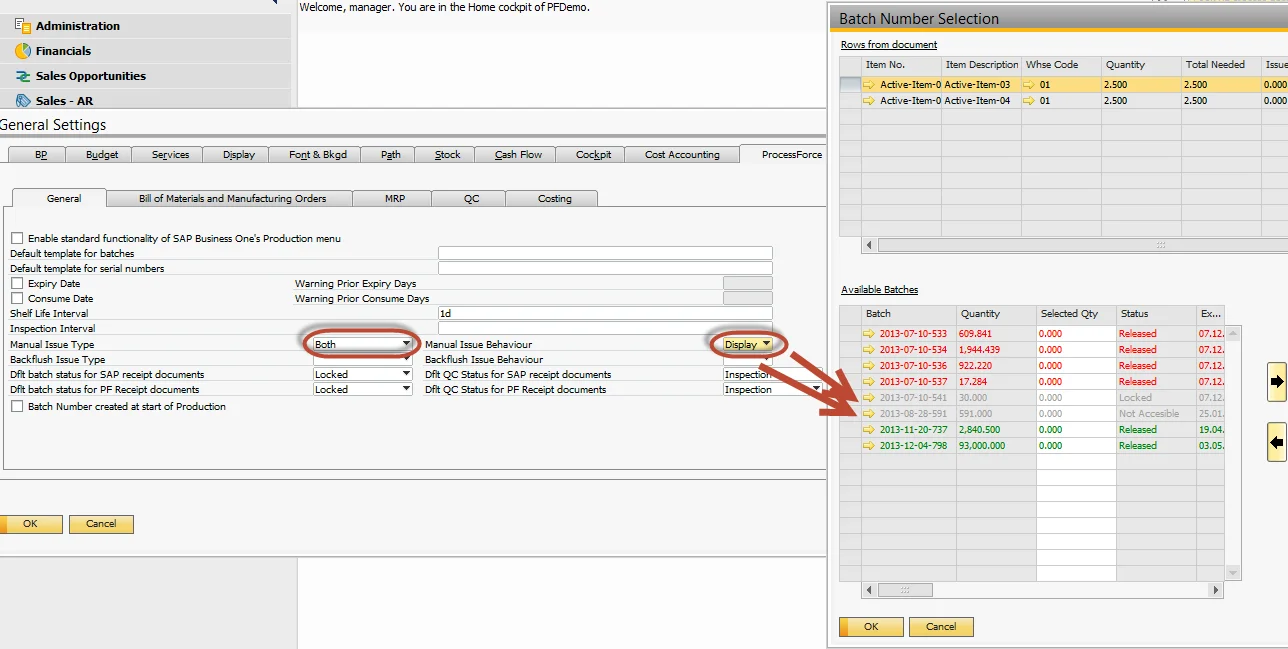
The table below charts the combination between Issue Type and Issue Behavior:
-
Yes = the batch is listed within the Batch Number Selection form,
-
No = the batch is not listed within the Batch Number Selection form,
-
Display = the batch is displayed and cannot be issued within the Batch Number Selection form.
| Issue Type | Issue Behavior | Issue Behavior | Issue Behavior | Issue Behavior | Issue Type | Issue Type |
|---|---|---|---|---|---|---|
| Not Accessible | Locked | |||||
| Yes | No | Display | ||||
| Locked | Yes | ✔️ | ✔️ | |||
| No | ❌ | ✔️ | ||||
| Display | ℹ️ | ✔️ | ||||
| Non Accessible | Yes | ✔️ | ✔️ | |||
| No | ❌ | ✔️ | ||||
| Display | ℹ️ | ✔️ | ||||
| Both | Yes | ✔️ | ||||
| No | ❌ | |||||
| Display | ℹ️ |
Locked – Yes
Locked – No
Locked – Display
Non-Accessible – Yes
Non-Accessible – No
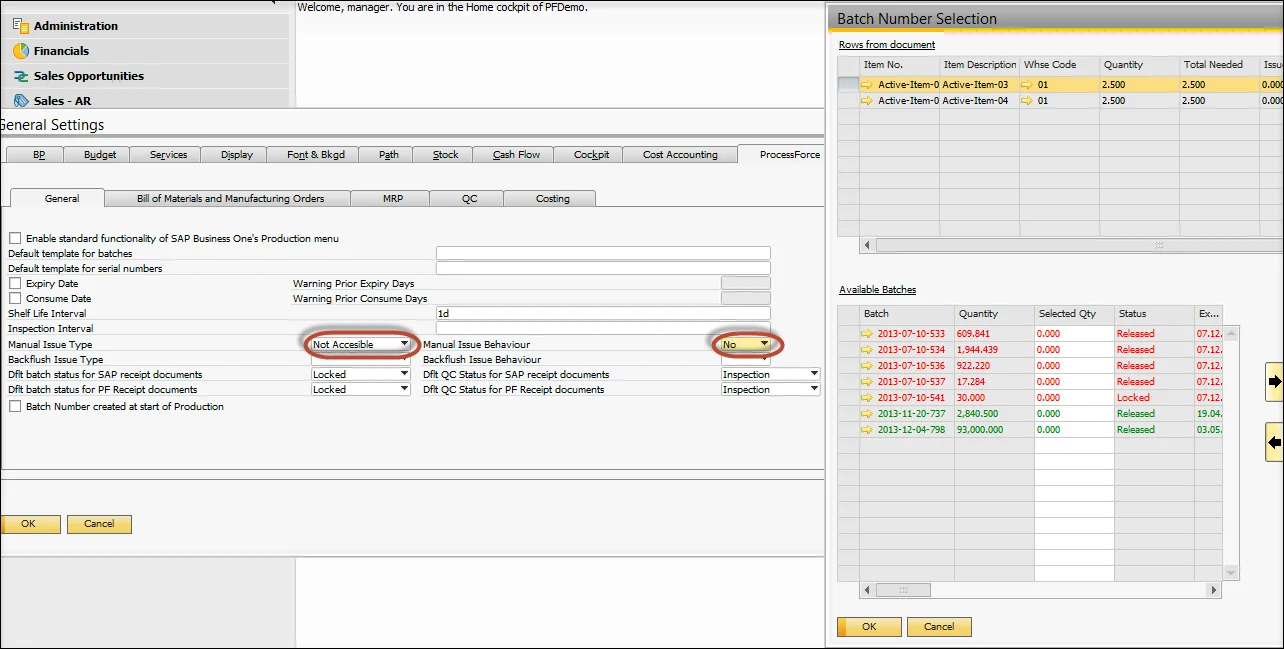
Non-Accessible Display
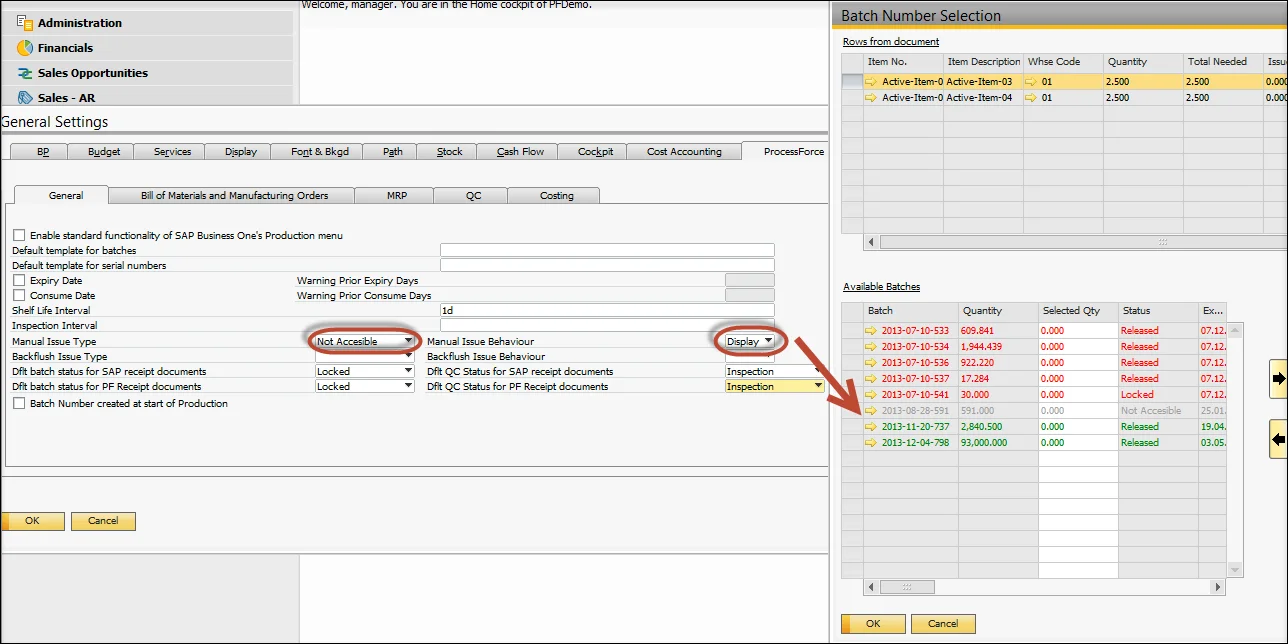
Both - Yes
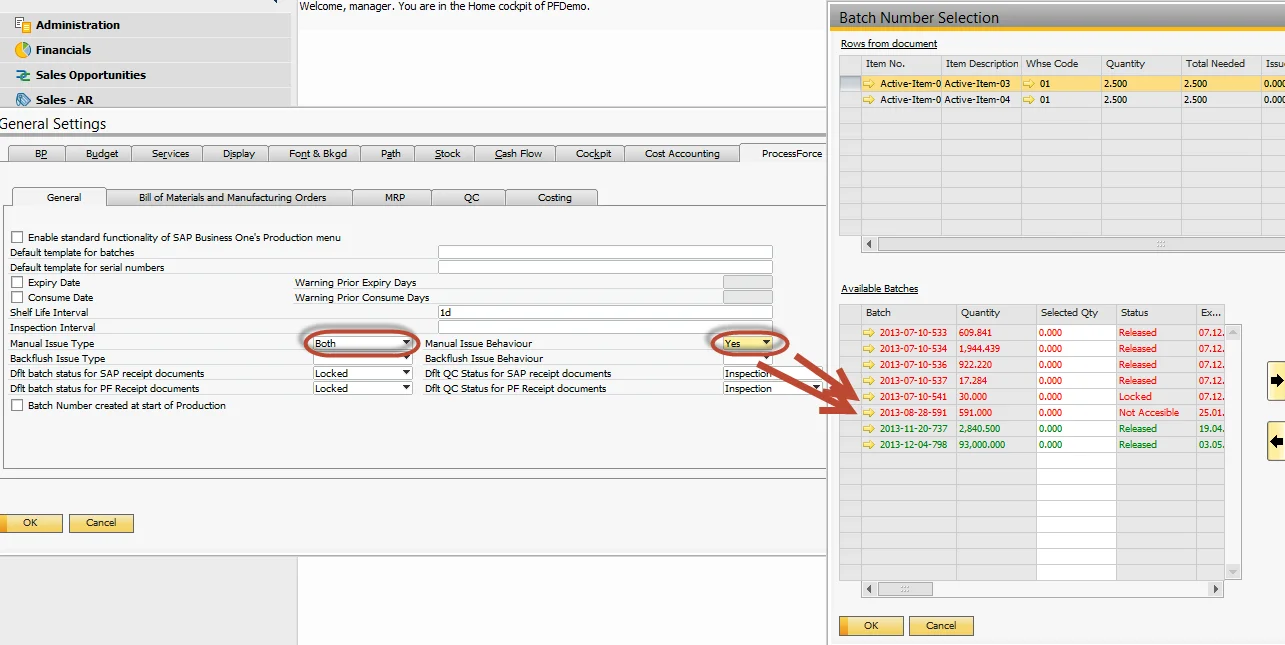
Both - No
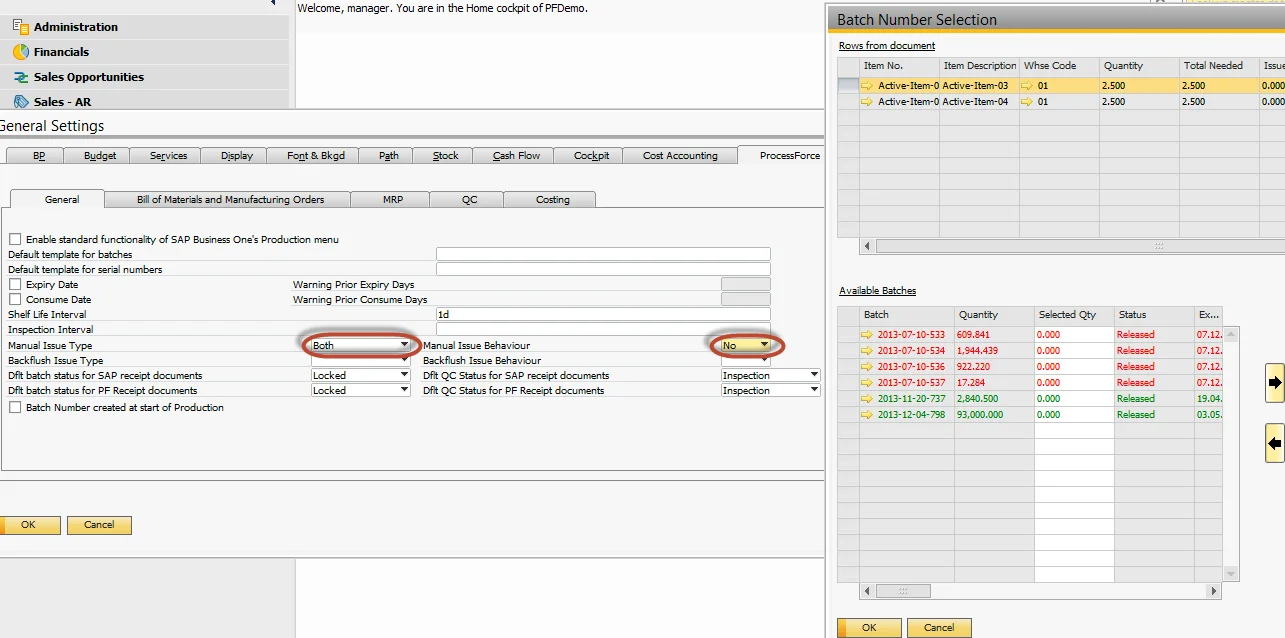
Both - Display
Backflush Issue Method
The same principles apply to Batches back-flushing.